Verify TPM is enabled:
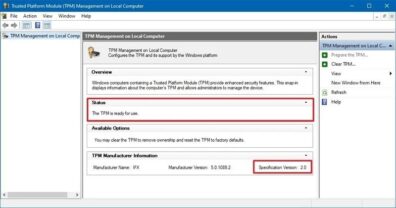
To check on the TPM status, do the following:
You can use these directions to confirm if your Trusted Platform Module (TPM) is enabled and active before answering the question on the form.
- Right click on start menu, select “Run” type in ‘tpm.msc’
- Under the “Status” section, confirm the status reads “The TPM is ready for use” to verify it is enabled.
- Under the “TPM Manufacturer Information” section, verify a Specification Version is shown. Ideally it would be Version 2.